Playlist
2 Videos
1:41

You can find or obtain the song you want on Muro Box through the following methods:
⮕ For a more detailed tutorial on exploring the repertoire library and the custom arrangement process, please refer to: Muro Box Custom Music Box Gift Guide.
Our music library is continuously updated with new songs by talented arrangers who frequently upload and share their work with the community. Furthermore, we have completed integration with Musicboxmaniacs.com (MBM), the largest music box community, expanding our library to nearly 50,000 songs. You can freely browse, search, and add songs to your playlists from this vast collection. Additionally, we offer official songs for your default listening (30 songs for N20; 15 songs for N40).
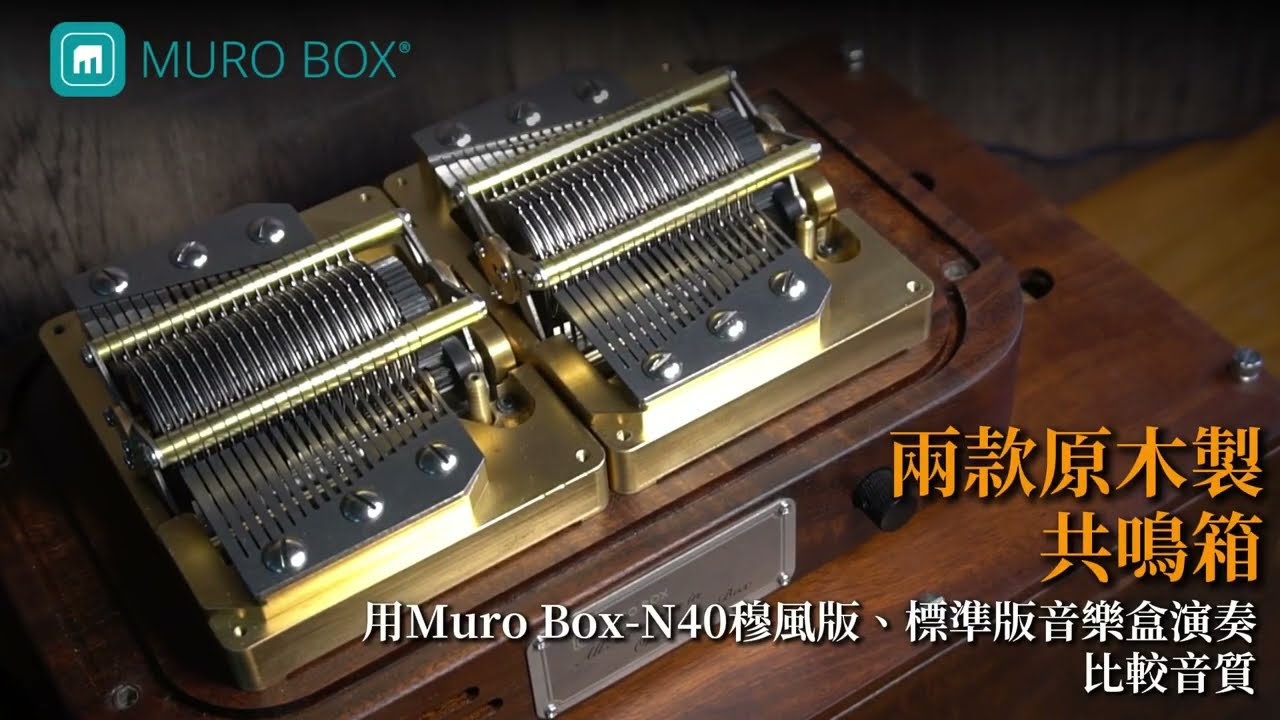
Click the video below to hear the same song performed on all three Muro Box models. Compare their tone, resonance, sustain, and overall playing characteristics to find the sound you like best.
0:00 N40 Sublime | 1:07 N40 Standard | 2:15 N20 Standard
Click the button below to download the App, or search for “Muro Box App” on the App Store or Google Play. After installation, create an account and follow the on-screen instructions to complete your music box connection setup. Once connected, you’re ready to start using Muro Box.


(For a complete illustrated tutorial, please refer to the detailed account setup guide.)
*If you have previously logged in with a specific social account, please use the same account to sync your saved playlists and personal data.
 at the bottom left to enter the “Music Library.” You can browse popular songs, newly added songs, or explore playlists categorized by themes such as classical, pop, and anime. You can also view the latest MBM tracks, which are synced with the cloud every hour.|
In the online music library on the official website or within the app, each song clearly indicates its note range (e.g., 15, 20, 30, or 40 notes). If you have an existing song and want to determine which series is suitable, please refer to the following:
Click the button below to download the App, or search for “Muro Box App” on the App Store or Google Play. After installation, create an account and follow the on-screen instructions to complete your music box connection setup. Once connected, you’re ready to start using Muro Box.
(For a complete illustrated tutorial, please refer to the detailed account setup guide.)
*If you have previously logged in with a specific social account, please use the same account to sync your saved playlists and personal data.
(For a complete tutorial with images, please refer to the official guide: Muro Box Official Website: iOS APP Wi-Fi Connection Detailed Tutorial)
⚠️ When the firmware version is lower than 0.1.34, please refer to the webpage.
(For a complete step-by-step guide with screenshots, please refer to the official Muro Box instruction page: Muro Box Official Website: Detailed Guide for Connecting Android APP to Wi-Fi)
*If the firmware version is lower than 0.1.34, please refer to the official webpage.
⚠️ Important Reminder:
The hotspot feature on iOS devices tends to turn off automatically very easily. While it is technically possible to use, the experience is poor for most users. Therefore, we do not recommend general users to rely on the iOS hotspot. (The key issue with iOS hotspot sharing is that it often turns off too early—before the music box can connect. Therefore, the key is to keep the hotspot active long enough.)
For the complete step-by-step instructions, please refer directly to the detailed tutorial on iPhone hotspot connection. The process outlined on that page has been tested and confirmed to work. If you have any questions, please contact our customer support: support@tevofy.com.
For a complete tutorial with screenshots, please refer to the official guide: Muro Box Official Website: Detailed Android Hotspot Connection Tutorial
At this point, plug in the Muro Box power cord and press and hold the control knob for 10 seconds. After you hear a ding-dong sound, tap “Next” on your phone. The app will automatically scan and successfully connect to the Muro Box. Once done, tap “Next.”
*If the firmware version is lower than 0.1.34, please refer to the webpage.
(For a complete illustrated tutorial, please refer to the detailed guide on switching connections between multiple Muro Box units.)
First, ensure the music box is properly powered on. If you have recently changed your Wi-Fi password, router, or moved the music box to a different location, please re-pair and reconnect the music box in the App. When the App displays “Cannot connect to server,” try tapping the play button or switching tracks to automatically restore the connection, and confirm that your phone’s network connection is stable. If error messages frequently appear, it is usually due to version incompatibility—please update the Muro Box App to the latest version.
If the issue persists, directly tap the gear icon in the bottom-right corner of the Muro Box App toolbar, select “Report a Problem,” and fill out the form. The system will automatically include your device model and serial number to facilitate efficient troubleshooting by our engineers. If the App cannot be opened, you may seek official assistance via the official problem report form or by emailing support@tevofy.com.
 , then select “Music Box Settings” > “Firmware Update.” If a new firmware version is available, the system will display an update prompt.
⚠️ Please note:
Yes! One Muro Box can be linked to multiple accounts at the same time, allowing family and friends to share the same music box.
in the lower-right corner to enter “Settings” > tap “My Muro Box”.Our music library is continuously updated with new songs by talented arrangers who frequently upload and share their work with the community. Furthermore, we have completed integration with Musicboxmaniacs.com (MBM), the largest music box community, expanding our library to nearly 50,000 songs. You can freely browse, search, and add songs to your playlists from this vast collection. Additionally, we offer official songs for your default listening (30 songs for N20; 15 songs for N40).
(For a complete illustrated tutorial, please refer to the User Guide – Playing Music)
Muro Box features a cloud music library with tens of thousands of tracks shared by creators. Through the dedicated app, you can effortlessly search and manage a vast selection of tunes. It also acts as a smart remote control for your physical music box, allowing you to switch between various play modes with ease.
Basic Controls: Functions like Play, Pause, Next, Shuffle, and Repeat work just like a standard music player—simple and intuitive.
Audio Output Switching: Once the app connects to your music box, you can seamlessly switch your audio source:
Play from Music Box: Tap to enjoy the authentic mechanical music produced by real steel tines striking the comb.
Play from Phone: Tap to listen and curate playlists directly on your phone—perfect for when your music box isn’t nearby.
For a complete illustrated guide, please refer to the detailed tutorial on APP composition and settings.
No, you don’t. You can consider the Muro Box as an “unlocked” or “one-time purchase” music box.
(For a complete tutorial with images, please refer to the User Guide – Edit Playlist)
With the Muro Box APP, you can easily create and manage personalized song playlists.
(Image guide available: Please refer to the User Manual – “Scheduled Playback”.)
Muro Box’s “Scheduled Playback” feature allows you to use your music box like an alarm clock, automatically playing your favorite music at a specified time.
at the bottom left to enter the “Music Library.” You can browse popular songs, newly added songs, or explore playlists categorized by themes such as classical, pop, and anime. You can also view the latest MBM tracks, which are synced with the cloud every hour.|
The Muro Box music box plays MIDI files, and the hardware itself has flash memory that can store up to 1,024 songs.
The music box can directly play the last synced offline playlist by simply pressing the knob.
However, we recommend that you create additional playlists to categorize your collection, such as by genre or tempo: sleep, pop, classical, 80s hits, etc. This way, you can play different playlists according to the situation, enhancing your listening experience.
To adjust the songs in the offline playlist. you need to connect the music box to the app, where you can add or remove songs from the offline playlist or drag them to change their orders in the offline playlist.
(For detailed step-by-step instructions with screenshots, please refer to “Edit the Offline Playlist.”)
You can enable or disable each notification according to your needs, including:
– Someone likes your tune
– Someone adds your tune to their collection
– Someone leaves a comment on your tune
– Your tune ranks among the top 5 popular tunes
– Someone follows your playlist
The settings will be saved automatically after completion. You can return at any time to adjust your notification preferences.
Muro Box APP automatically translates song titles based on your phone’s language by default. If you prefer to display the original song titles as set by the author, please follow these steps to disable auto-translation:
The one-year warranty and three-year limited repair service for this product are only available to customers who purchase through our company or designated partners.
One-Year Limited Warranty: Starting from the date of shipment, this covers defects in materials or assembly but excludes other accessories and damage caused by improper use by the consumer.
Three-Year Limited Repair Service: Shipping and repair costs will be calculated based on the actual situation.
Please Note: The warranty will be void if you open the Muro Box yourself. If repairs or inspections are needed, do not open the device yourself. Please return it to us to check if the issue is covered under the warranty.
Muro Box product specifications are as follows:
Power Adapter
Output Voltage: 15V
Rated Current: 3A
Rated Power: 45W
Input Voltage: 90~264VAC
Frequency Range: 47~63Hz
AC Current (Typ.): 1A/115VAC ; 0.5A/230VAC
Muro Box-N20 Standard
Operating Voltage: 15V
Operating Current: 2.5A
Product Dimensions (mm): 135(L) x 135(W) x 105(H)
Weight: 1.0 kg
Muro Box-N40 Standard
Operating Voltage: 15V
Operating Current: 3A
Product Dimensions (mm): 250(L) x 160(W) x 95(H)
Weight: 2.3 kg
Muro Box-N40 Sublime
Operating Voltage: 15V
Operating Current: 3A
Product Dimensions (mm): 250(L) x 160(W) x 95(H)
Weight: 4 kg
, then select “Report an Issue” to fill out the form. The system will automatically include your device OS version and product serial number, allowing the engineering team to quickly and precisely identify and resolve any issues.
Due to the complexity of battery transportation safety regulations, we decided from the very beginning of the design process not to include a battery, allowing the music box to be shipped to as many countries as possible.
If you need to use the music box on the go, the N20 Standard, N40 Standard, and N40 Sublime all support USB-C power banks, allowing you to easily take the music box anywhere you go.
Compatible power bank specifications: Minimum of 45W USB-C power supply. Please use a model that supports 15V voltage and at least 3A current (45W 15V/3A).
For example, the following power bank is one of the models we used in internal testing:
Due to hardware limitations, continuous playback is capped at a maximum of 3 hours. After 3 hours, the playback speed will be reduced to prevent the device from overheating. If you need extended playback, we recommend setting up scheduled playlist playback, with a 30-minute interval between the start times of each playlist to protect the components from excessive wear. You are welcome to review the instructions for setting up scheduled playlist playback.
To ensure optimal sound quality and stability, we do not recommend assembling the mechanical movement yourself.
Minor errors during assembly can affect resonance or damage delicate components. If you are willing to accept the risks and wish to purchase a DIY movement kit, please email your intended use to: support@tevofy.com.
For a perfect hands-on experience, we highly recommend our “DIY Cylinder Assembly Course”!
Purchase the course in our store and book a visit to our Taipei office. You will receive 1-on-1 guidance directly from the Muro Box founders, allowing you to build your own music box and explore our patented design safely.
First, ensure the music box is properly powered on. If you have recently changed your Wi-Fi password, router, or moved the music box to a different location, please re-pair and reconnect the music box in the App. When the App displays “Cannot connect to server,” try tapping the play button or switching tracks to automatically restore the connection, and confirm that your phone’s network connection is stable. If error messages frequently appear, it is usually due to version incompatibility—please update the Muro Box App to the latest version.
If the issue persists, directly tap the gear icon in the bottom-right corner of the Muro Box App toolbar, select “Report a Problem,” and fill out the form. The system will automatically include your device model and serial number to facilitate efficient troubleshooting by our engineers. If the App cannot be opened, you may seek official assistance via the official problem report form or by emailing support@tevofy.com.
Both the N20 Standard, N40 Standard, and N40 Sublime use USB-PD and can be powered by a portable power bank, allowing you to take your Muro Box wherever you go.
(Note: The N20 Lite uses a traditional DC power supply and does not support this external power bank functionality.)
Compatible power bank specifications: Minimum of 45W USB-C power supply. Please use a model rated for 15V voltage and at least 3A current (45W 15V/3A).
For example, the following power bank model is one we have used in our internal testing: https://www.mi.com/tw/20000mAh-mi-power-bank-3-pro/specs/
, then select “Music Box Settings” > “Firmware Update.” If a new firmware version is available, the system will display an update prompt.⚠️ Please note:
Regardless of whether you are using the N20 or N40 series, the physical button reset procedure is the same.
Muro Box’s mechanical components, including the comb, solenoids, and gears, are designed for long-term durability and have undergone rigorous endurance testing. Under normal use and proper environmental conditions, there are no components that are expected to fail regularly or require routine replacement.
The lifespan of the following parts may be affected by usage habits and environmental conditions:
The motor of the music box does produce some noise. However, every unit undergoes a full functional inspection before shipping, including checks for unwanted sounds, so all units meet our shipping standards. Regrettably, the motor noise cannot be completely eliminated.
Motor noise is indeed one of the current challenges for Muro Box. At present, the only way to reduce motor noise is to lower the motor speed through the app. The default factory setting is 85% speed. When the speed is reduced, the motor noise also decreases, but the rhythm of the music may become slightly unstable, giving it a “swing-like” feeling. Therefore, adjustments must be made based on actual usage.
The mechanical design of the N20/N40 music boxes has already reached its current structural limit. Although the motor sound can be heard, during playback it is not as prominent behind the melody. This is also part of the unique characteristic of a mechanical music box being “alive.”